
Published
:01 Jul 2026
SIM Card Sizes Explained: Standard, Micro, Nano, eSIM and iSIM
You swap to a new phone, grab your SIM card, slide it in, but it does not fit into your mobile phone. May be too big or too small. Now you can’t access the network. It happens more than you'd think. And honestly, SIM card sizes are one of those things nobody really talks about.
To fix it, you need the right SIM card size for your mobile phone. SIM is the physical chip that helps you get connected, but it comes in different types and sizes. Complete knowledge about the SIM cards helps you get the right match for your phone.
In this guide, I will discuss various SIM card sizes. What actually a SM card is, what these are and which phones use them. I will discuss the first ever created SIM card to more advanced versions of SIMs, such as eSIM and iSIM.
What Is a SIM Card?
SIM actually stands for subscriber identity module. It is a small chip, but it performs big and keeps the whole world connected. A SIM card tells your mobile network who you are. It stores your phone number, carrier details, and gives you access to calls, texts, and mobile data.
If you remove your SIM from the mobile, the connectivity will drop, and the phone will be just a camera with a Wi-Fi connection.
The essential point to discuss is that the SIM cards formates are generally change but the actual chip inside every SIM card is the same size. The only thing that changed over the years is just the plastic around it.
The Four SIM Card Sizes You'll Come Across
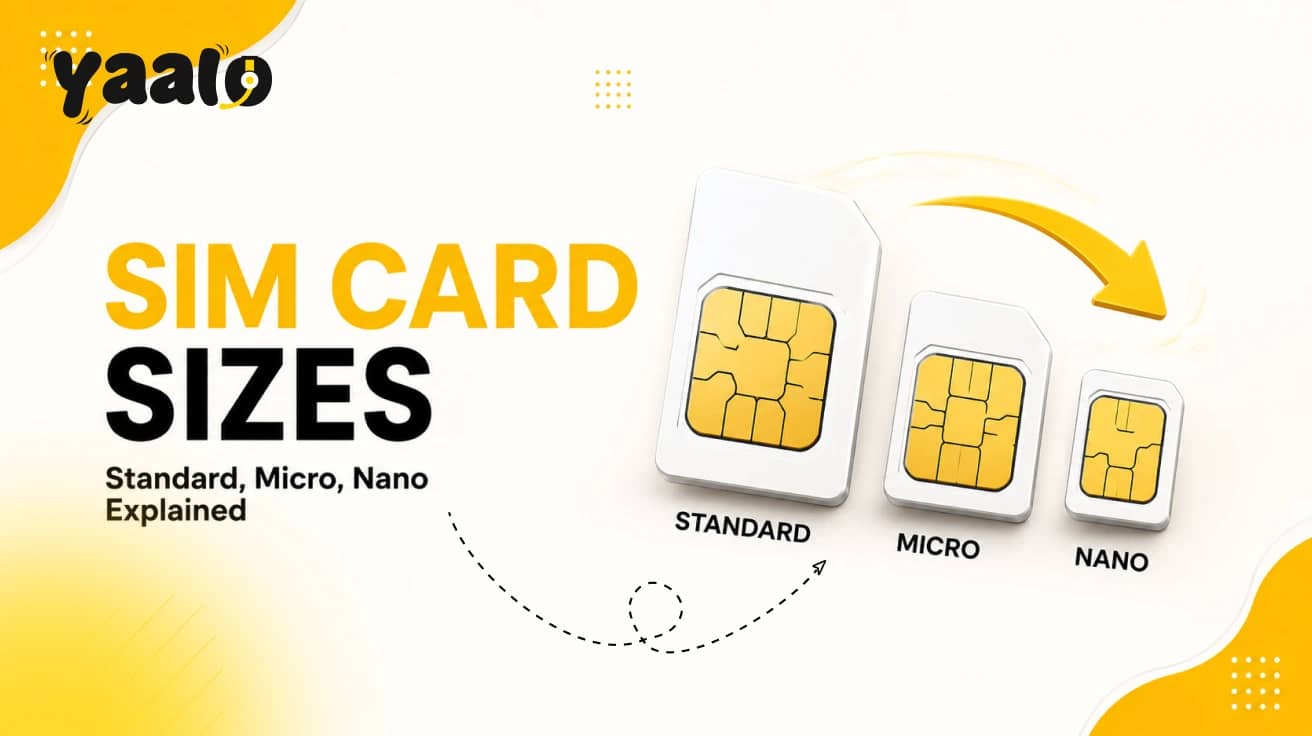
There are four major types of SIM cards: full-size, standard, micro, and nano. Then eSIM and iSIM, which are different.
Full-Size SIM (1FF)
Full-sized SIM 1FF is actually the original SIM. The first SIM was literally credit card-sized, 85.6 x 54mm a standard defined by the GSMA. In the early 1990s, mobile phones first got wireless connectivity with these chunky things. Nobody uses them now. You won't find one in any phone made in the last 25 years.
Standard SIM (Mini SIM / 2FF)
It is probably what most people picture when they think "SIM card." It was around 25 x 15mm, launched in 1996.
The last iPhone to use this SIM card was the 3GS in 2009. The basic feature keypad phones still takes a standard SIM today, but they're rare.
One thing worth knowing is that some carriers offers combi SIM that looks like a standard SIM at first glance. But it has scored lines on it, and you can get a smaller nano or micro SIM from inside it. That is actually a clever design technique.
Micro SIM (3FF)
Micro SIM was first introduced in 2003, but it didn't really catch on until Apple put one in the iPhone 4 in 2010. It was around 15 x 12mm, about half the size of a standard SIM.
Micro SIMs came to the market but were replaced pretty fast once nano SIMs arrived. If your phone is somewhere between 2010 and 2014, maybe it uses a micro SIM. The Samsung Galaxy S5 from 2014 used one.
Nano SIM (4FF)
This is the one our phone almost certainly uses. It was the smallest size of the traditional physical SIM card available. It measures 12.3 x 8.8mm, roughly the size of your thumbnail. It arrived in 2012, and the iPhone 5 was one of the first phones to use it.
Still, many smartphones use the nano SIM cards, and you may have noted that the nano SIM barely has plastic around the chip. It's essentially the chip itself with just enough frame to hold it together. Any phone made after 2014 definitely takes a nano SIM.
SIM Card Sizes at a Glance
Why Do SIM Cards Keep Getting Smaller?
Space is the word that matters more in smartphones. Every millimeter inside a smartphone is valuable. A smaller SIM card slot means the manufacturer has more space for something people actually care about, such as a larger battery or better camera.
Minimizing the size actually means reducing the physical size; the major chip remains the same size. Engineers only trim the plastic around it to free up more space in the mobile phone. Obviously, a large SIM with a physical card takes more space than a small SIM, like a nano SIM.
What Happens If You Put in the Wrong Size SIM Card?
Every mobile phone have the specific sized SIM card tray. You need the SIM according to that size. A SIM that's too large won't slide into the tray. If you force it to adjust, it damages both the card and the tray.
A SIM that's too small just rattles around. It can't make proper contact with the connectors, so your phone won't recognize it at all. You will receive a no SIM error.
What to Do If Your SIM Is the Wrong Size?
- Use an adapter: If your SIM is too small, you can use a plastic adapter to slot the smaller card into a larger frame. Your SIM works fine with it as long as the adapter sits properly.
- Get a free SIM swap from your carrier: Sometimes, the mobile network operators send you a replacement SIM in the correct size that is usually free. It is the cleanest option with zero risk of damage.
How Do You Know Which SIM Size Your Phone Needs?
Here is how you can check it.
- Check the phone's box or manual. It states exactly which SIM format the device uses.
- Google it. Search your phone model's SIM card size. And you will get the answer within seconds.
- Look at the SIM tray. Eject your SIM card tray and look at the slot. If you found it fingernail-sized, its nano SIM. Micro trays are noticeably bigger.
The mobile phones made after 2015 are generally compatible with nano SIM. Those made between 2010 and 2014, possibly accept micro SIM.
eSIM: The Future of SIM Cards
An embedded SIM, or eSIM, is the modern and digital version of the physical SIM cards. It's a tiny chip that is directly attached to your phone during manufacturing. You can’t even remove it, touch it, or see it.
You can activate it via QR code and manage everything through your phone's settings.
How Does eSIM Actually Work?
Instead of sliding a card into a tray, you activate an eSIM by scanning a QR code from your carrier or using their app. The network profile loads onto the built-in chip, which just takes a few minutes. So no wait for the ejectors.
One eSIM can hold multiple carrier profiles at once. So you could have your regular home plan on one profile and a local data plan from another country on a second. Its easy to swap between them in your phone settings.
Which Phones Support eSIM?
Most flagship smartphones since around 2018 support eSIM alongside a physical nano SIM slot. Some of these include:
- iPhones from the XS onwards
- Samsung Galaxy S and Z series
- Google Pixel from the 3 onwards, and a growing number of mid-range Android phones, too.
As eSIM technology is the future connectivity option, some phones have dropped the physical slot entirely. iPhones sold in the United States, starting with the iPhone 14, have no SIM tray at all.
eSIM for Travel
This is where eSIM genuinely changes things for the better. Instead of getting the local SIM at the airport or paying roaming charges, you can buy a travel eSIM plan before you leave. You can activate it from home, and land with data already working.
Yaalo is the global eSIM carrier, offering eSIM plans built for travelers that work across multiple destinations without needing a physical SIM card.
iSIM: The Next Step After eSIM
eSIM is a big jump from physical cards; iSIM takes it even further.
iSIM stands for integrated SIM. Like an embedded SIM, it is not a separate chip built onto a circuit board. It is integrated directly into the device's main processor, the System on a Chip.
eSIM moved the SIM from a removable card to a fixed chip inside the phone. iSIM went one step further and folded that chip into the processor itself. To understand the full difference, check out this detailed eSIM vs iSIM breakdown.
eSIM vs iSIM: Quick Comparison
Can You Convert Between SIM Card Sizes?
You can convert the bigger SIM to a smaller one with a SIM cutter. But it might be risky. One slight cut near the chip and your SIM can be dead. Resizing the SIM card from small to bigger is carriers job, you can’t do it yourself.
In wrong size SIM case, you should call your carrier and ask for a free SIM swap in the right size.
Conclusion
SIM cards went from credit card-sized to nearly invisible over 30 years. And it's not full stop here, the journey isn't finished yet. Standard SIMs are gone from modern phones. Micro SIMs are still used a bit. Nano SIM is what our device almost certainly uses right now.
eSIM is a recent innovation that is steadily replacing the need for physical cards. And iSIM is one step further to eSIM, which is folding everything into the processor itself.
If you're switching phones, just check which SIM size your new device needs before you transfer. If you travel frequently, an eSIM plan is an ideal option to get a flexible and consistent connection.
FAQs
What do I do if my SIM card is too big for my new phone?
If your SIM card is too big for your new phone, you should visit your carrier's retail store for a free or low-cost replacement SIM.
How to make a large SIM card smaller?
You can trim the excess plastic around using sharp scissors and a file to match nano-SIM dimensions. Using a SIM card cutter is the most reliable method.
What is an iSIM, and how is it different from eSIM?
An iSIM is an integrated SIM built directly into your phone's main processor. It is more secure and uses lower power than eSIM. It is used mainly in IoT and industrial devices.
Related Blogs

Nina Alexandra ●
30 Sept 2026
Best Andorra SIM Card & eSIM (2026): Where to Buy Data Plans
SIM Card Guides