New to Yaalo? Get 15% discount using the code 

info

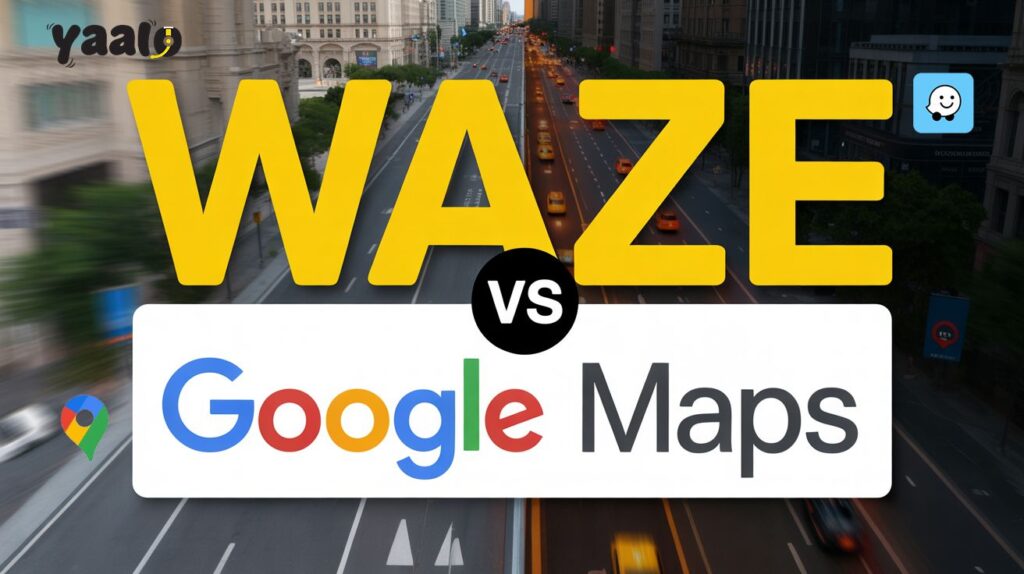
Waze vs Google Maps: The Best Choice for eSIM Users
info

Waze vs Google Maps: The Best Choice for eSIM Users in 2025!

You’ve just touched down in a brand-new country. Your eSIM connects without a hitch, and within seconds, you’ve got full access to maps, messages, and everything else you need.  But as you roll your suitcase out of the airport and into the chaos of unfamiliar streets, one question instantly pops into your head: Should you trust Waze or Google Maps to get you where you’re going? It’s not a small decision. For international travellers, your navigation app isn’t just a tool; it’s a travel companion. And if you’re counting on smooth, battery-friendly performance without chewing through data, choosing the best navigation app becomes more than just a preference; it’s a necessity. So, which one’s got your back in 2025? Let’s find out! 1. Waze vs Google Maps: A Real-World Look at What Makes Them Different Before you pick a navigation app for your trip, it helps to know what each one is really built for. While Waze and Google Maps both fall under Google’s umbrella, they serve different needs, and knowing the difference can genuinely make travel easier. Waze is designed with drivers in mind. It’s fast, responsive, and powered by its users. When someone spots a traffic jam, accident, or police checkpoint, they report it in the app, and that info helps others reroute in real-time. If you’re behind the wheel in a busy city or trying to avoid getting stuck during rush hour, Waze works like a local guide, whispering updates as they happen. Google Maps, on the other hand, is more of an all-rounder. It’s great whether you’re walking, taking a train, riding a bike, or driving. It shows you how to get from A to B, sure—but it also helps you explore. Want to know where the nearest café is, how late the train runs, or what a place looks like from the street? Google Maps can show you all that in one go. Both apps are reliable, but the best one for you depends on your plans. 2. How It Feels to Use Waze vs Google Maps: Interface and Experience That Matter When You’re Abroad Let’s face it—when you’re in a new country with unfamiliar roads and limited time, the last thing you want is to fumble through a confusing app. The way a navigation app presents information makes all the difference, especially when you’re depending on your phone and an eSIM connection to get around. Waze brings a unique personality to your driving experience. It’s colorful, lively, and feels like you’re part of a local driving club. You’ll see pop-up icons for road hazards, fellow drivers sending alerts, and a lot of real-time chatter from the road. Some love this level of interactivity—it makes the app feel alive. But for first-time users or anyone who prefers a cleaner interface, Waze can come off as visually noisy and even a bit overwhelming. Google Maps, on the other hand, is all about simplicity and structure. It’s built to support different travel needs—whether you’re walking, catching a train, or driving across town. Its layout is clean straightforward, and gives you just enough detail without the extra flair. You can search a location, check business hours, and switch between travel modes without missing a beat. For travelers using eSIMs, both apps have their merits. If you’re behind the wheel and want updates from people just like you navigating the same roads, Waze adds value. But if you’re juggling public transport schedules or hopping between sights on foot, Google Maps is a calmer, more reliable choice that does a bit of everything—without draining your data or battery life. 3. Real-Time Traffic & Navigation Accuracy: Who Gets You There Smarter? When you’re navigating in a foreign city, every wrong turn costs you more than just time—it can mean missed check-ins, higher cab fares, or unnecessary stress. That’s why accuracy and real-time updates aren’t just “nice to have”—they’re essential. Waze is fast on its feet, thanks to its driver-first approach. Every user becomes a live traffic reporter. If there’s an accident, a traffic jam, or even a pothole ahead, chances are you’ll get the heads-up in real-time. The app immediately reacts, rerouting you around trouble before you even see the brake lights. It’s made for people who hate delays and want the fastest way out of traffic—especially helpful when you’re driving in a city you’ve never been to. Google Maps takes a more calculated approach. It mixes real-time data with years of traffic patterns and machine learning to decide the best route. It might not reroute you as quickly as Waze, but the detours it offers are often more balanced, especially in busy cities where “faster” doesn’t always mean “better.” It also accounts for public transport delays and estimated arrival times with surprising accuracy. If you’re using Yaalo eSIM to stay connected abroad, your choice depends on how you travel. Waze is ideal if you’re driving and want to actively avoid headaches. But if you’re planning a day that involves buses, walking or a bit of both, Google Maps gives you a broader, smoother view of the journey ahead—without eating through your data too quickly. 4. Offline Access and Data Usage: A Big Deal for eSIM Travelers When you’re exploring a new country with just an eSIM to stay connected, how much data your app uses—and whether it works offline—can make a big difference. Google Maps has the upper hand here. It lets you download entire areas—cities, regions, even countries—so you can navigate without using mobile data. That’s a huge help if you’re heading somewhere with a weak signal or trying to stretch your eSIM data abroad. Once saved, you can still search for locations, get turn-by-turn directions, and even find nearby places—all without being online. Waze, on the other hand, doesn’t offer true offline functionality. While it may cache parts of your route if you start with a strong connection, the app needs a live data link to give you traffic updates, reroute you, or show road alerts. That’s


Does airplane mode turn off your location?
info

Does airplane mode turn off your location?

Does airplane mode turn off your location? No, airplane mode doesn’t impact your mobile phone location. It restricts the wireless communication between the devices and disables your cellular data connection, WiFi and Bluetooth. But doesn’t directly impact your GPS. Thus, location can be tracked with airplane mode. In this article, I will go through the details of does airplane mode turns off your location and how it impacts the function of your device’s apps.  With Yaalo eSIM activated on your device, will you face any trouble? How does airplane mode work? Airplane mode is a feature in Android and iPhone devices that is usually enabled during flights. Airplane mode turns off all the wireless connections of your device and restricts calling and texting. It is usually used to prevent disturbance in the aircraft communication system during flights. Does airplane mode turn off your location? No, airplane mode doesn’t turn off your location on Android or iPhone devices. It is directly linked to wireless communication systems. Turning on airplane mode restricts your device from sharing information with other devices to prevent interference in an airplane communication system.  Your location depends on the GPS; it does not have any direct link with a network connection. GPS doesn’t require a cellular data connection to find where you are; it directly links to the satellite around the Earth.  Can I avoid being tracked online by turning on airplane mode? It doesn’t prevent you from being tracked because airplane mode only disables the network connection. Location is being tracked based on GPS, which directly communicates with the satellite.  How to prevent location tracking? Enabling the airplane mode doesn’t impact your location tracking. You can do the following things to prevent your location from tracking.  1. Disable your GPS Turn off the GPS settings from your Android, iPhone or iPad to prevent your location tracking.  For Android: For iPhone/iPad:  2. Use Fake Location To avoid location tracking, you can use a fake location. For Android devices, multiple fake location apps are available that can alter your location. Similarly, for iPhone and Mac devices, you will be required to buy the app.  Does airplane mode disable all location-sharing apps? No, airplane mode doesn’t directly disable all the location-sharing apps. The apps track your location based on the GPS, which even works with airplane mode. This feature turns off the cellular connection whether you are using a SIM card or an embedded SIM on your device. The only thing that happens without a data connection is these apps can’t share your updated real-time location. It doesn’t completely shut down apps but affects their function.    Apps that require data to share location Apps that work with airplane mode Does airplane mode freeze or stop my location sharing? Airplane mode doesn’t freeze your location, but it stops sharing it with social media platforms like WhatsApp, Facebook and Instagram. Location can’t be shared with the apps that require a data connection for functioning. However, through the GPA, your device knows where you are.  Conclusion Does airplane mode turn off your location? It is the commonly asked question of users for privacy concerns. There is a misconception that, like WiFi, Bluetooth and data connection, location is also turned off when airplane mode is enabled on the device. But it’s not true. Airplane mode doesn’t alter your location; it only restricts the apps from sharing your current location with other devices. Your location is not linked to the cellular data; the GPS in your device is directly connected with the satellite to identify your location.  FAQs

What is a Coworking Space
info

What is a Coworking Space? Digital Freedom With Yaalo eSIM!

The way we work has changed. With the world embracing remote working, traditional office spaces are becoming a thing of the past. From startups to established businesses, more people are choosing flexible work environments.  Enter coworking spaces! The modern solution for freelancers, remote workers, and digital nomads seeking productivity and community. With the rise of coworking spaces, workers no longer need to be tied down by long-term leases or isolated home offices. Instead, they have access to flexible office spaces that fit their schedules and needs.  Whether you’re in San Francisco, working from a coffee shop, or navigating a new city as a digital nomad, coworking spaces offer the professional environment you need.  And, with tools like Yaalo eSIM, staying connected across countries and coworking hubs has never been easier. Let’s get to know everything about Coworking Space! What Is a Coworking Space? A coworking space is a shared, flexible workspace designed for remote workers, small businesses, and freelancers. It offers an alternative to the traditional office or working from home, providing a balance between collaboration and privacy.  These spaces typically come equipped with high-speed internet, private offices, meeting rooms, and communal areas. It allows individuals to work in a professional environment. The idea of coworking first emerged through the efforts of Brad Neuberg in San Francisco, who sought to create a shared workspace that promoted community and collaboration.  Coworking spaces are more than just a desk and a chair. They are designed to foster creativity, encourage networking, and improve overall productivity. Unlike a traditional office, where employees are bound by set schedules and long-term leases, coworking spaces offer much more flexibility.  Key Features That Make Coworking Spaces Work! A coworking space is more than desks and chairs. It’s a shared workspace built for flexibility, productivity, and connection. Whether you’re a freelancer, part of a startup, or running a small business, these features set them apart: With coworking spaces, you still get the independence of remote working without the isolation of a home office. How to Choose the Right Coworking Space? Not all coworking spaces offer the same experience. Picking the right one can make or break your productivity. Here’s what to check before you sign up: A good fit is one where you can focus, connect, and feel motivated to return. Top Coworking Spaces Around the World & What They Offer! The following are the world’s top Coworking spaces providing services that defines the new digital means of collaborating: WeWork (Global) – Stylish interiors, private offices, hot desks, phone booths, and events. Ideal for networking across major cities. Spaces (Global) – Focuses on design and community, with flexible office space and creative work zones. Impact Hub (Multiple Countries) – For socially driven entrepreneurs; offers workshops, mentorship, and shared workspace. Mindspace (Europe, US, Israel) – Boutique coworking with premium décor, lounge areas, and curated events. The Wing (US) – Designed for women professionals, offering beautiful interiors, childcare, and strong community support. CoCo (US) – Known for open collaboration areas, great for startups and freelancers. UCommune (China) – Affordable plans with large meeting rooms and a tech‑driven approach. These spaces prove that coworking isn’t just about a desk. It’s about creating an environment that supports productivity, creativity, and community, whether you’re in San Francisco, Berlin, or Buenos Aires. The Rise of Coworking for Remote Workers & Digital Nomads The shift from traditional offices to remote working has changed how and where we work. For many, the home office quickly loses its appeal, distractions pile up, space feels limited, and isolation kicks in. That’s where coworking spaces offer a solution. Remote workers gain flexible office space without the cost or commitment of a long‑term lease. Digital nomads, hopping between cities, can find a shared workspace in almost every major hub.  Instead of noisy coffee shops, they get fast Wi‑Fi, a professional setting, and a sense of community that keeps workdays productive and connected. Coworking’s appeal lies in choice. Whether you want a quiet desk for deep focus or open lounges for collaboration, you’ll find a setup that matches your work style. Benefits Beyond the Desk! A good coworking space is more than just a desk and a chair. Here’s what sets them apart from working at home or in a traditional office: Coworking combines the flexibility of remote work with the structure and resources of a well‑equipped office, without the constraints of a traditional lease. How eSIM Fits Into the Coworking Lifestyle? Coworking often goes hand‑in‑hand with mobility. If you’re moving between cities or countries, staying connected is essential, and swapping physical SIM cards is a hassle. With Yaalo eSIM, you can: For remote workers, this means you can land in San Francisco, Berlin, or Buenos Aires, head straight to your coworking space, and get online before your coffee cools. The Cost Factor – Why is Coworking Cost‑Effective? A traditional office locks you into rent, utilities, and maintenance. A home office may be cheaper, but it can limit your networking and growth. Coworking spaces strike a balance: For small businesses and freelancers, coworking offers the resources of a corporate office without the overhead costs. Add the cost‑saving benefits of Yaalo eSIM when you travel, and your work‑from‑anywhere budget stretches even further. Conclusion Coworking has redefined the way we think about workspaces. It’s no longer just about a desk, it’s about flexibility, community, and the freedom to choose where and how you work. With Yaalo eSIM, the coworking lifestyle becomes even more seamless. You can jump between cities, tap into a new shared workspace at each stop, and stay connected without worrying about SIM swaps or expensive data plans. The future of work is borderless, and coworking spaces are its home base. If you value flexibility, community, and cost‑effective solutions, coworking could be your best next move. FAQs

How Much Data Do You Use With Instagram Full Guide
info

How Much Data Do You Use With Instagram Full Guide

Instagram is the most popular app worldwide, with 2 billion active users. If you are spending most of your time scrolling reels and watching stories, it can be the most data-consuming app on your device. The more time you spend on Instagram more data is in use. To monitor your data consumption, consider how much data you use with Instagram.  In this article, I will go through the details of how much data Instagram uses and the tips to reduce over-data consumption. How much data does Instagram use? Instagram data usage is not similar for every individual. It depends on how much time you spend on Instagram and at which resolution you scroll through reels. If you post high-quality photos and videos on Instagram, you may require high data. Standard video consumes 840 MBs in an hour, while high-standard quality takes 1.5 GB. The data usage depends on which activity you like most to do. Browsing feeds may not require much data while uploading the content uses more data.  The estimated monthly data consumption according to users. Data User Time per day Monthly data use Light user  30 minutes/day 2-4 GB/month Moderate user  1 hour/day 5-9 GB/month Heavy user  3+ hours/day 15-30 GB/month Data Usage for Browsing Feeds It varies based on your feed content. If it contains HD videos, definitely more data will used, while for pictures, the consumption is different. On average, browsing a feed without videos takes 100 to 200 MBs in an hour.  Data Use for Watching Instagram Reels, Videos and Stories As I mentioned, watching HD videos on Instagram uses big data amount. Watching reels for a minute takes 5 to 10 MBs, according to the video length. If you spend an hour watching the stories, 300 to 500 MBs will be used. While scrolling reels may consume 800 MBs to 1.2 GB of data. It may also vary based on your video resolution.  Data Consumption for Uploading on Instagram Uploading a high-quality image on Instagram takes up 2 to 4 MBs. If you are uploading a one-minute video of high resolution, it may consume 50 to 100 MBs. It happens because devices store high-quality content, and when it is required to upload one Instagram, it consumes more data amount.  How to monitor Instagram data usage on Android and iOS devices? Like other social media apps, Instagram doesn’t have a direct feature to monitor data usage. Thus, you can check the data consumption from your device Settings.  For Android Devices For iOS Devices How to reduce Instagram data usage? If you think Instagram consumes most of your data, the following tips will help to reduce this data consumption.  Enable Data Saver Mode Data saver mode can be beneficial to reduce data usage. It will disable the video preloading and the image quality to reduce the data use. You can simply do it from your Instagram app settings.  Disable High Resolution  Android users can minimize the resolution quality to save the data. You can do it from the Instagram settings page. Tap high-resolution media in the app to restrict data consumption.  Use Instagram Lite Instagram Lite is the best alternative to reduce data consumption. The app is designed to be used in regions with lower network signals. It takes less data but offers fast performance. Is the Lite app similar to Instagram? There may be a limited filter, and the app is restricted to use in limited regions.   Use Instagram with a WiFi Network Connection to WiFi is the better solution to avoid the extra data consumption. If you are traveling abroad, use public WiFi at hotels and restaurants. You can also set high resolution while using WiFi.  Buy the eSIM Unlimited Data Plan eSIM is an excellent connectivity means for international travelers. If you are a high-data user, like an influencer who needs data every time to share and capture videos and pictures of every travel moment, the eSIM unlimited data plan will help you a lot here to access a fast internet connection. Whether you are traveling to the USA, UK, or different regions of Europe, Yaalo eSIM plans will help you access roaming-free connectivity. With an unlimited data plan, you can use data to scroll through social media and online audio or video streaming.  Conclusion  Instagram is the 3rd most popular app globally, with 2 billion active users monthly. Compared to the other social media apps, it is considered the most data-hungry app. But we can’t accurately measure how much data it consumes. Instagram data consumption varies from person to person. If you spend most of your day time watching reels, videos, live streaming and uploading, definitely, it is the most data-consuming app on your device. To reduce the extra usage, you can monitor consumption from your device settings. In this article, I have mentioned the steps that can help you to reduce data usage.  FAQs

How Much Data Does Netflix Use
info

How Much Data Does Netflix Use? Travel with Yaalo eSIM!

Let’s be honest! Netflix is our go-to escape on long flights, train rides, or nights in unfamiliar hotel rooms.  But streaming video content on the go is one of the fastest ways to drain your mobile data. And if you’re not careful, it can leave you with unexpected charges or a painfully slow connection. Especially for international travellers, watching Netflix abroad without a proper data plan can turn into an expensive mistake.  This is why understanding just how much data Netflix uses is not just smart, it’s essential. Whether you’re a casual viewer or a die-hard 4K binge-watcher, let’s learn everything essential about Netflix data usage. Netflix Data Usage By Quality: A Breakdown for Travellers! Netflix gives you the option to choose your video quality, and each setting drastically changes how much data you burn through. So, if you stream two HD episodes of your favourite drama/season during a layover, you could be using 6GB in just two hours. Multiply that by a weeklong trip, and suddenly, a regular data plan isn’t looking so reliable. How Much Does Netflix Use? Let’s make it practical: If you’re the kind of person who downloads content at the airport and watches later, you’re already saving data. But if you stream live on a mobile network, these numbers matter. 5 Smart Ways to Cut Down Netflix Data Usage While Abroad! 1. Tweak Netflix’s playback settings: Go into your account and set streaming to “Low” or “Medium.” Your eyes won’t mind much, especially on smaller screens. 2. Download before you fly: When connected to Wi-Fi, download your favourite episodes. No streaming means no data loss. 3. Turn off autoplay: Netflix loves starting the next episode. You don’t always need it. Stop autoplay and avoid accidental data drain. 4. Use “Data Saver” mode on mobile: This is a lifesaver. Find it in your mobile app under App Settings. 5. Be aware of your background apps: If Netflix is streaming and your other apps are syncing or updating, your data will disappear even faster. Why is Yaalo eSIM Built for Netflix Lovers On the Move? Here’s where Yaalo eSIM comes in. Travelling with Yaalo means never worrying about switching SIM cards or standing in line at airport kiosks. You get instant access to local data in over 200+ countries. And more importantly, for streamers, you get plans that match your viewing habits.  Need just enough data to catch a few episodes on the road? We’ve got you. Planning to unwind with movies every night abroad? No problem. With no surprise roaming fees and flexible top-ups, Yaalo is built for travellers who like their entertainment uninterrupted. How to Choose the Right Yaalo eSIM Plan Based on Your Streaming Habits? Yaalo eSIM gives you control and flexibility. You can top up or adjust your plan anytime based on your habits. No more overpaying for unused data or cutting a movie short to save megabytes. Common Mistakes Travelers Make When Streaming Netflix Assuming hotel Wi-Fi is always good: Spoiler alert: it’s often not. Public Wi-Fi is slow, unsecured, and can cut out mid-episode. Forgetting to change streaming settings: Netflix might default to high-quality streaming. Always double-check before pressing play. Leaving autoplay on: This can eat up gigabytes while you’re asleep. Relying on local SIMs with bad coverage: Cheaper isn’t always better. Local SIMs might not offer reliable speeds or country-wide coverage. Yaalo avoids that headache. Conclusion Streaming Netflix while travelling doesn’t have to come with stress, slow speeds, or surprise charges. When you understand how much data Netflix really uses, you can plan ahead—and stream smarter. With Yaalo eSIM, you get reliable, instant mobile data in the countries you visit, built to support how you use the internet, whether that’s casual browsing or hours of entertainment. So go ahead, start that new series or rewatch your comfort movie. Just make sure you’re doing it with the right eSIM plan. Your future self (and your phone bill) will thank you. FAQs

eSIM Vs. Nano SIM Cards What You Need to Know Before Making the Switch
info

eSIM Vs. Nano SIM Cards: What You Need to Know Before Making the Switch?

In a world that’s moving faster than ever, staying connected isn’t just about having a phone — it’s about how your phone connects. And that brings us to a big question:Do I stick with my Nano SIM or finally make the jump to an eSIM? If you’ve heard the buzz but aren’t quite sure what it means for you — don’t worry. This guide breaks it all down in plain English so you can decide whether your lifestyle works best whom eSIM Vs. Nano SIM Cards. Let’s clear up the confusion! What Are We Talking About? Nano SIM is the tiny plastic chip most of us have been using for years. You pop it into your phone’s tray, and you’re ready to roll. eSIM is different. It’s not a card at all — it’s built right into your phone. No swapping, no losing it, no trips to the store. Just scan a QR code, and you’re good to go. Sounds simple? It is. But the benefits go deeper than that. Nano SIM Card: Familiar, But With a Few Catches! What’s Great? What’s Not Great? eSIM: The Digital Upgrade! Why It’s a Game Changer? A Few Downsides! The Real Comparison: Which One Suits You? Let’s break it down in real terms. How To Switch From Nano SIM Card to eSIM (Easier Than You Think)! Ready to ditch the plastic? Here’s how to go from Nano SIM to eSIM in just a few minutes: That’s it. No tech jargon, no headaches. Why Yaalo is the best Choice For Your eSIM Hunting? At Yaalo, we’re building eSIM services that are made for real people — not just tech enthusiasts. Whether you’re flying to Tokyo, backpacking across Europe, or working from a café in Mexico City, Yaalo gives you: No SIM trays, no roaming fees, and no stress. Conclusion Here’s the deal. Both options work. But only one of them is built for the way we live now. If you value flexibility, simplicity, and staying connected wherever you go — the eSIM is your next move.  And if you’re ready to make the switch, Yaalo’s got your back with easy setup, reliable support, and affordable plans tailored to your journey. FAQs

Apps that Use the Most Mobile Data
info

Apps that Use the Most Mobile Data: A Detailed Guide

Does your mobile data expire early? There may be multiple reasons behind it. If you like watching videos or listening to music online, you might use up your mobile data fast. This includes using social media apps like TikTok, Instagram, or YouTube.  How can you check and balance your data to avoid extra usage? In this article, I will go through the details of what popular apps on your mobile devices use most of the data. Moreover, what tips can you follow to monitor and control your internet consumption?  What uses the most mobile data? The app or the software you use throughout the day will use most data connection. Normally, the mediums that consume more internet connection include: Our Data Consumption Analyses  We made analyses using the data manager app and analysed how much data our mobile apps use. We turned on the data, started the stopwatch, and used multiple apps for five minutes separately. After using each app for 5 minutes, we conclude the report. What apps are using the most data? Here, I am listing the top data-hungry apps on your device that can cause your mobile data to run out early. YouTube YouTube is a high-ranking app that consumes more data connection. It uses 193 MB in five minutes, which is more than a Disney+ app with 150 MB. Video streaming on YouTube takes lots of data because it delivers sounds, video, metadata, and processing at a time. This data consumption is related to the quality of streaming. Here is how YouTube takes the data. Disney+, Prime Video, Netflix, and Apple TV are streaming apps that use less data than YouTube.  Snapchat The data consumption on social media apps depends on how long you use the app. For example, scrolling through Instagram videos takes more data than photos. During analyses, we found the surprising results. Snapchat significantly uses more data than other social media apps.  The app uses data to download the content in the background for quick access. Turn on the Snapchat data saver to reduce mobile data usage.   Uber and Google Maps  The apps that work for travelling use a large amount. The map apps, including Hotels.com, Uber, and AllTrails, use data between 100MB to 150 MB. Uber uses more data because of its live transport data network.  AllTrails is an app for measuring hiking routes. You can download maps to use as a GPS signal.   How to check the data usage on apps? You can follow the given steps to check which app is using more data on your device.  Android Devices iOS Devices  What apps occupy the most storage? The apps that occupy most of your device’s internal storage include; How to manage the data usage? You need an internet connection when you travel abroad. It helps you find locations and the best tourist spots to visit. Here, you need more precautions to monitor your data before it runs out.  Are you looking for guidance to manage your data usage? The following tips will help you. Avoid HD Streaming Avoiding music or video streaming at high quality minimizes your data consumption. It eats up a lot of data with a little better resolution. You can enjoy your favorite music and shows with lower resolution without wasting much data connection. Stop Automatic App Scanning App scanning consumes data and battery to download the data from your account. It also contributes to strengthening the signals. You can switch it off on iOS and Android devices to avoid the extra use in the background.  Download Your Favourite Content If you are traveling, it is best to download your favorite music and shows. This way, you can avoid using extra data for entertainment. You can use the public WiFi connections to do so. Get Unlimited Yaalo eSIM Plan The most reliable and hassle-free solution is to buy the eSIM for your international travel. No matter where you travel in the world, eSIM gives you a simple and flexible data connection.  It offers remote activation, with instant connectivity and zero roaming.  Visit Yaalo.com and buy your destination country eSIM. The plans offer unlimited data, calls, and texts. Stay connected around the world without interrupting your social life.   Conclusion  When users suddenly lose their data connection, they often ask: Do my apps use more data, and which ones? In this article, I will show you which apps on your device use the most data.  In the article, I have listed the easy steps to manage your data usage. eSIM is one of the best solutions that offer seamless connectivity in just a few clicks.  FAQs

SIM Card History: From Physical SIM to iSIM
info

SIM Card History: From Physical SIM to iSIM

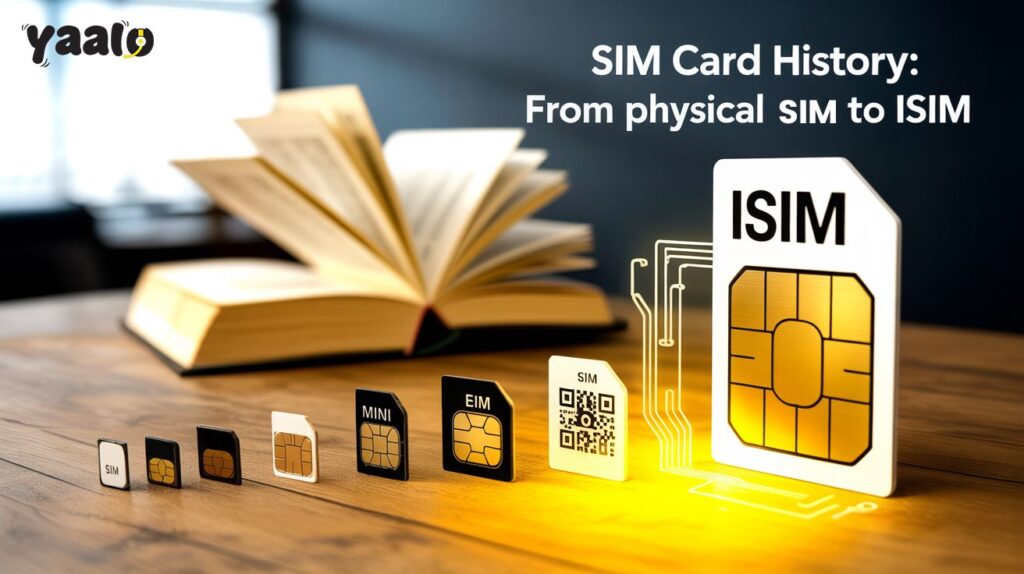
Did you know that the world’s first SIM card was the size of a credit card? SIM card has a long history; the concept of SIM cards originated in the 1960s. The first SIM generation evolved with time, and now we are using the most modified form of technology in our devices, like eSIM cards. Such changes in telecommunication positively impact our lives, and now we can enjoy smooth communication throughout the borders. How did this evolution happen over time?  In this article, I will go through the details of SIM cards and how they have evolved with time and made effortless global communication possible. What is a SIM card? SIM card is the subscriber identity module that stores the user’s mobile identity and authenticates their mobile devices. It is a plastic card chip that contains a processor and memory circuit for information, including subscriber network plan, text messages, contacts, and other details. It includes the number that makes it possible for the users to make calls.  How does a SIM card work? A traditional SIM card contains unique identity information like IMSI (International Mobile Subscriber Identity) and an ICCID (Integrated Circuit Card Identifier). IMSI works to verify the user’s phone security and connect it to the service network. ICCID secures your information, like services and passwords.  History of SIM Card  The subscriber identity module has a long history, like mobile communication. First SIM cards had the size of a credit card, called 1 FF or 1st Form Factor, which shrank to 2FF mini-SIM. But still, the SIM size was larger and had more potential to be smaller; experts worked on it and minimized its size to micro SIM, 3FF, and nano SIM, 4FF.  How have SIM cards evolved? Here is the concise information about the multiple SIM card history for your understanding. First SIM Card The first SIM card was originated by Munich smart-card maker Giesecke+Devrient in 1991. After some experiments, 300 SIM cards were sold to a Finnish wireless network operator, Radiolinja. The SIM card had a big size, but it made it possible for devices to connect to cellular networks for communication.  Mini-SIM Card After the innovation of the SIM card, experts worked on minimizing the SIM card sizes to provide mobile phones more space for more functionalities. In 1996, the first mini SIM was launched, which had a small size compared to the 1FF. The smaller-sized SIM gives more space to improve the battery size of the device.  Micro-SIM After some time, mini-SIM evolved into a micro SIM card. The first micro SIM card was launched in 2010; it was more efficient and functional than 1FF. iPhone 4 has the credit of being the first micro SIM compatible device.   Nano-SIM  Nano-SIM is the smallest physical chip card that comes after micro-SIM. It is the finest modified form of physical SIM that is mostly used in our devices nowadays. eSIM Card  eSIM is a digitalised SIM card that is installed into devices by manufacturers. Embedded SIM has no physical appearance, and it can’t be removed from the device. Compared to the physical SIM card, it offers a convenient and flexible data connection. It offers remote QR code activation with instant connectivity.  iSIM iSIM is the integrated SIM card that is built in device software. It is the most digitalized form of SIM cards that offer more security and digitally store users’ information.  Dual SIM Technology Times ago, devices sold in the market with a single SIM card support. But now, most of the devices have a dual SIM nature that allows you to use two or three physical SIM cards in a single device. The latest models of dual SIM smartphones allow you to use an eSIM with a SIM card or allow you to use two eSIMs at the same time. Dual SIM devices are best for travelers to avoid the hassle of having more than one device. It allows them to use eSIM for data connection and physical SIM.  Conclusion SIM card has a history rooted in the 1900s. The first SIM was a big-sized SIM card that took up more space in the device, which affected the battery size. After a while, the SIM card size is minimized to mini and micro SIM. Well, it was a great relief, and experts added more functions to devices. The journey didn’t stop, and with the emergence of technology, SIM became modified into a digital chip. Nowadays, eSIM and iSIMs are the most advanced technologies used in your device that improve our communication without the hassle of location and time.  The world is becoming more advanced, and our means of comfort are developing with time. Thus, we can expect the extinction of physical SIM cards and a massive shift in technology in the near future. When you need to shift, Yaalo eSIM is the best choice you can rely on! FAQs 

Does Hostspot Cost Money
info

Does Hotspot Cost Money? What Should You Know Being a Traveler?

Internet is now everywhere and if you need to do anything that involves a device, you need internet. Beside the usage the real thing about Internet is its availability. Today’s users especially travelers that are heavy streamers, digital nomads, business tycoons, or any other kind have number of devices with them. What they need is a hotspot with a stable Internet connection to connect all of their devices like the smartphones, laptops, digital gear, & wearables. Here comes the need of a hotspot because you dont want to connect to a public Wifi that is unsecure or not fool enough to buy different Internet plans for each device. But there is a question often asked by the people, Does hotspot cost money? In this blog, you will find all the answers and best ways to have stable internet connection to use as a hotspot connecting all your devices. Understanding Mobile Hotspots Mobile Hotspot is a built-in feature in your device that let you connect to your other Wifi enabled device with the same Internet. You can connect you laptops, wearables & IoT devices by turning on the hotspot option from your smartphone or tablet with data enables plan. When you connect other devices you are consuming your SIM or eSIM data plan that will cost you as per your carrier policy.  Factors Influencing Hotspot Costs Your Mobile Plan Data Usage Activities Also, Hotspot sharing depends upon how you are using your data. Different activities consume different amount of data: If you know how much data you will consumer as per your activities you can manage data consumption effectively. Roaming and International Use When you travel with a eSIM plan and connect your devices using hotspot, you may face extra charges due to roaming fee or carrier policy. From $3 to $10 per MB charges are expected as additional cost. If you want to save on this consider eSIM plans like Yaalo eSIM that allows you to share hotspot data freely with no additional charge and as per your eSIM plan. eSIM: A Cost-Effective Alternative for Hotspot Keeping in mind about the travelers needs and usage eSIM is the best alternative to avoid additional hotspot charges when traveling. eSIM providers like Yaalo eSIM or eSIMCard offers as per plan hotspot sharing. You can buy any eSIM plan fromthese providers and enjoy hotspot sharing. Like if you buy 20GB eSIM data plan you are allowed to use 20 GB as hotspot sharing. Moreover, you dont need any physical SIM Card or read long form contracts to understand. eSIM plans are without contracts and are ideal for travelers with multiple devices. Tips to Manage Hotspot Costs Conclusion Having Internet on your traveling journey is highly recommended. Connecting all your devices smartly will need a hotspot connection. Choosing your eSIM plan wisely will let you use hotspot without additional costing and throttling speed. All you need to do is to choose the right eSIM provider to save your money and enjoy connectivity at high speeds.  Buy Yaalo eSIM plan, because they offer you free hotspot usability. No contracts, no throttling speed. FAQs

Shopping Cart