New to Yaalo? Get 15% discount using the code 

info

What Is a SIM Card
info

What Is a SIM Card? Everything You Need to Know!

When was the last time you thought about the tiny chip inside your phone? Probably never until you’re switching phones, traveling abroad, or upgrading to something sleeker, like an eSIM. Whether you have a traditional Physical SIM Card or just heard about eSIMs, knowing what a SIM card is can help you. This knowledge can lead to better choices, especially when you travel alone internationally or upgrade your device. Let’s learn about some of the real stuff. What Exactly is a SIM Card? A Subscriber Identity Module or SIM Card is a miniature chip inside your phone. It connects you to your mobile network. Like, your device is saying, “Hey, I belong to this phone number, and here’s my data plan.” The main function of a SIM Card is to verify the address with the mobile network operator It holds your identity for the network (like your phone number and carrier info). Lets you make calls, use mobile data, and even store a few contacts or texts if needed. Think of it as your phone’s passport—without it, your device has no idea where it belongs or what plan it has. Why SIM Cards Even Matter? For most people, SIM cards just sit inside their phones quietly doing their job. But they actually manage a lot behind the scenes: Without them, you’d basically have a fancy camera with no way to text or call anyone. The Evolution of the SIM Cards: From Chunky to Invisible! Let’s walk through how SIM cards shrink with time: That brings us to the now: eSIMs. Instead of popping in a physical chip, you download your carrier profile directly onto your device. Simple, secure, and eco-friendly. What’s Inside a SIM Card? Even though it looks tiny, there’s a lot packed into it. It has an integrated circuit card identifier for a cellular network. Basically, it’s the reason your phone knows you’re on your carrier’s network. What Types of SIM Cards Exist Today? The SIM card has different types now because everything digital today needs connectivity. There is always a better technology solution. The following are the types of Physical cards rather than standard sim: By Form Factor By Usage Model By Network Compatibility Why are SIM Cards Important For Travellers? If you’ve ever stepped off a plane and seen “No Service” on your phone, you’ve met the limits of your SIM. Traditional SIMs are tied to one country or region, and that’s where eSIMs pop ups as a companion. With an eSIM like Yaalo, you can land with instantly connect to a local network without fumbling for a store or swapping tiny chips. Just scan a QR code, download your plan, and boom, you’re online. SIM Card Limitation and Why eSIMs are the Future? The real truth is SIM cards worked fine for years, but they’ve got baggage: With eSIM technology, you can eliminate all of this. You will get: How can You Upgrade from a SIM Card to Yaalo eSIM? Upgrading to an eSIM through Yaalo is easy and takes just minutes: Conclusion SIM cards have powered our mobile lives for decades. But the world is moving fast, and physical chips just can’t keep up with our needs. We need instant, secure, and global connectivity. That’s why platforms like Yaalo eSIM are leading the way. Whether you’re planning a business trip or a backpacking adventure, eSIMs offer the flexibility, simplicity, and peace of mind. You cant have this with traditional SIM cards. FAQs
What is the IMSI Number
info

What is the IMSI Number, and What is its Function?

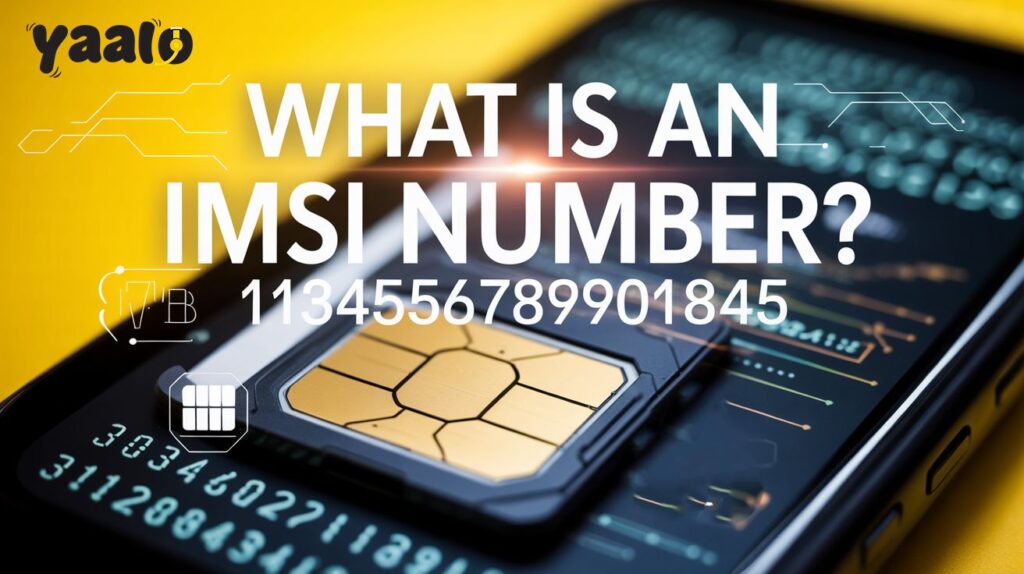
We use SIM cards that connect our devices to the cellular network to enable connections. These SIM cards have a unique number that identifies users and operators. If your mobile device registers with the network, it will send you the code called IMSI. The number contributes to managing the connectivity. Now, the question may arise in your mind: What is this number, and why do I need to know it? In this article, I will go through the details of the IMSI number and try to answer all your queries. What is the IMSI number? IMSI refers to International Mobile Subscriber Identity, which is usually stored on SIM cards. It is a 15-digit unique code that is allotted to cellular network users. The IMSI number can’t be changed, which is a preventive measure to avoid SIM swapping fraud.  Components of IMSI The IMSI number on the SIM card looks like a 15-digit number. MCC MNC MSIN 310 260 123123123 Three main components, MCC, MNC, and MSIN, combine to form an International Mobile Subscriber Identity number. These contribute to finding the subscriber.  Mobile Country Code (MCC) A mobile country code is a code that shows the subscriber’s home country identity. It may be the combination of two or three digits. It ensures that the global network can identify the subscriber without any restriction.  Mobile network Code (MNC) The mobile network code identifies the subscriber’s mobile network. The code may include two or three digits, which helps to differentiate your home network from the other carriers in the country.  Mobile Subscriber Identification Number (MSIN) Mobile Subscriber Identification Number MSIN is the code that identifies you as a subscriber in multiple networks. The code may contain 10 or more than 10 digits, which depends on the mobile country code and network code.  How does IMSI analyse the network? When your device connects with the supported network, a code is sent from your device to the network. Here, the IMSI analysis process is activated, which analyses your home network via code. It also confirms whether the network is allowed access or not. International Mobile Subscriber Identity confirms which network a mobile number belongs to.  IMSI vs. ICCID vs. IMEI: Key Comparison! IMSI, ICCID, and IMEI are important numbers. They help your phone work well and keep your information safe from unauthorized access. Here are the details of their specific function in communication.  Feature IMSI ICCID IMEI Structure 15 digit code 18 to 20-digit code 15 digit code Function Identifies mobile network subscribers. Identifies a SIM card in the device. Identify mobile devices. Purpose Confirm authentication and service provisioning. Identify SIM and ensure security. Device identification. Components MSIN, MCC, MNC INN and digit checksum Gives info about the device’s origin and serial number. How to check the International Mobile Subscriber Identity number?  There are multiple methods to check the IMSI. Some common methods you can use to check the International Mobile Subscriber identity include. Check the Android Settings One thing to consider is that these steps are not similar in Android models. Therefore, you have to do it according to your device settings. In iOS Devices As iPhones have strict security and privacy policies, you cannot access the IMSI number directly from the iPhone. But there are some other methods you can use. Use USSD Code Dial *#06# in the dial bar of your device and press the enter button. If your device allows, the IMSI number will show on your screen. Sometimes, the devices show IMEI rather than IMSI due to security concerns.  Use a SIM Card Reader Using some specific tools, you can find the IMSI number. In this process, a SIM card reader is used to connect your SIM to the computer. Then, some specialised software is used to display this secret code.  How does IMSI contribute to security protocols? IMSI play a key role in the authentication of subscribers and their devices. When your device connects to the network, it sends the IMSI code to the carrier. The carrier checks if your account is valid. If it is, you can access the network services.  This verification avoids SIM swapping and allows only authorised devices to access the network. In SIM swapping, the hackers take over your mobile identity and access assets. SIM swap checks use an IMSI number and check the mobile network security.  Conclusion International mobile subscriber identity is the security code for the SIM card. It identifies the right subscriber of the cellular network. The code identifies the valid account users and confirms whether the network service is provisioning. The main components of IMSI, including MNC, MCC, and MSIN, contribute to making the function possible. It ensures the device network security and avoids activities like SIM swapping.  FAQS

What is EKYC, and Why does eSIM Require it
info

What is EKYC, and Why does eSIM Require it?

eSIM has revolutionized our ways of communication. It offers ease and flexibility for travelers, nomads, and tech users. But, do know it’s a rule in some international countries to verify eSIM before activation. The method is called electronic Know Your Customer (eKYC). It is a security measure in some countries to verify eSIM technology users. Now, the question is why it is required and how this process is done. In this article, I am going to discuss the details of eKYC, why it is required and what steps are involved in this verification method. What is electronic Know Your Customer (eKYC)? EKYC is a digital customer verification method that takes a few minutes to complete. It is a crucial protocol in the telecommunication industry that regulates the security. As electric verification is considered more authentic, multiple countries are adopting eKYC to identify the reality details of the person who is using eSIM. It ensures the person is who they say they are.  What is the importance of eKYC? The process is required for the verification of international travellers to access seamless connectivity. Here is how eKYC is important for eSIM. Legal Compliance As eKYC authenticates the identity of the users in detail thats why this is an important protocol to ensure security in multiple countries. It is essential for eSIM usage because it verifies the eSIM user identification.  Additional Security Measure  The verification methods add security layers for eSIM usage. It is to prevent eSIM from being used for fraudulent activities.  Digitlized Verficiation Method Traditionally, the verification process has been done with the physical appearance of the person with paper documentation. But eKYC makes the whole process hassle-free and digitalized. Now, it is done remotely without being lined up in queues. The process takes a few minutes to complete, which is convenient for travelers. It ensures your eSIM is verified and provides secure mobile data connectivity for international travel. Best for Hassle-free Travels eKYC check takes a little time to get eSIM ready to use in your destination country. After verification, your device can connect to a supported network after a few minutes. Process of eKYC to eSIM card eKYC is an essential process of eSIM owner verification to use in other countries. It allows you to access the uninterrupted data connection.  The process initiates when you buy your destination country eSIM. Consider buying an eSIM card from a trusted provider like Yaalo eSIM. After buying eSIM from Yaalo.com, you will get a notification on your mobile phone indicating that eSIM is required to complete your verification process. And here, the eKYC process starts.  Following the eKYC verification steps will help you get a secure eSIM connection in your destination country. Start Verification a Few Days Before Travel It’s better to start the process early to complete the verification. You should choose the verification time a few days before traveling to avoid the last-moment issues.  Upload Identity Documents for Verification  Take a high-quality picture of your passport and upload it on the verified platform provided by the institution to verify your identification. Make sure that the picture is clear and information in the passport must be visible.  Confirm If your Destination Country Requires eKYC While purchasing an eSIM card, check if it requires an eKYC check or not. In Yaalo eSIMs, eKYC information is given in the eSIM Additional Information section.  Countries Visa Consideration Countries have their specific visa considerations. When you go through the eKYC process in advance, it shows that you comply with these regulations. It helps you to use an eSIM without any delay after arriving in the country. Consider Countries Network Restrictions  The countries that require eKYC checks may have some local network restrictions. Therefore, you should be aware of any kind of such restrictions because it will help you to avoid connectivity issues later. Conclusion  What is eKYC, and why is it important? This information will be enough for you to understand eKYC as it verifies your identification and ensures you access the eSIM data connection without any restriction.  It is a user-friendly digital process that takes a little time to complete compared to the traditional verification method. The users just need to upload a clear picture of their passport to start the process. eKYC makes the identification process more convenient so that users can easily access their eSIM data connection once they arrive at the destination country.  FAQs

Is FaceTime free internationally.
info

Is FaceTime free internationally? A Comprehensive Guide

Travellers are looking for a cost-effective and convenient way to connect with family and friends during international trips. For Apple users, Facetime is an effective app that allows them to make audio and video calls. But is Facetime free international? Absolutely, it is free; users just need stable WiFi or a cellular data connection to pursue clear communication. In this article, I will go through the details of how Facetime works free internationally and the tips to avoid the extra charges for international travel.  What is Facetime, and how does it work? Facetime is the audio or video calling service for Apple devices, whether it’s iPhone, iPad or Mac. It allows millions of users worldwide to connect with their family and friends. You can also make the group call and add the participants. It allows the face to face-to-face communication, which is more convenient compared to text message reading. The apps require a stable WiFi connection for smooth communication. It uses your device’s camera and microphone for audio and sends over the internet to the recipient. If a WiFi connection is not available for some reason, Facetime uses a cellular data connection to make calls, which may add up to your travel expenses.  Is Facetime free internationally? Yes, Facetime is free to use internationally. Facetime with WiFi Facetime doesn’t charge for international calling; it is absolutely free until you are using a WiFi connection. It doesn’t charge an additional fee for making international or domestic video or audio calls. One thing to consider is the person you are calling should have an Apple device for Facetime calling. Facetime with Cellular Data There is another case of using Facetime, sometimes while traveling to remote areas when no WiFi internet is available; Facetime will work on the cellular data plan. Here, you should be observant about your data consumption because the more data Facetime will use, the more charges you will be required to pay. Thus, to avoid roaming and extra hidden charges, you should choose the travel eSIM, which offers a seamless internet connection for international travel.  How to use Facetime internationally? You must have an Apple device to use Facetime. The devices that support the calling app include.    The app is usually, by default, installed on iPhones, Macs and iPads. Follow the given steps to use Facetime.  How much data does Facetime consume? Facetime data consumption depends on several factors, some of which include.  Audio calls take less data as compared to video calls. On average the 30 minutes video call at HD quality uses 90 to 130 MBs. On the other hand, audio calls take 18 to 30 MBs, and a group call consumes 210 to 270 MBs.  Alternatives of Facetime for Android Users Facetime is the best video and voice calling app for Apple users. If you are an Android user, Facetime is not for you. But there are some alternatives, like Whatsapp, Zoom, and Facebook Messenger, that function similarly to the Facetime app. Whatsapp offers video and audio call services and allows to send text and voice messages through a stable internet connection. Skype and Zoom allow you to make professional audio and video calls.  These alternatives are handly that allow to get connected worldwide, like Facetime without expending more money.  How to avoid the roaming charges using Facetime internationally? To use flexible data without any stress of roaming or hidden charges, opt for the eSIM card. It is a small chip embedded into the eSIM compatible devices. If you are travelling to the USA or any other country, Buy the Yaalo eSIM data plan to enjoy the data connection 24/7. You can buy the unlimited data plan for your destination country to get connected throughout your travel. eSIM offers a flexible and seamless connection with zero roaming charges. With the internet, you can use Facetime or any social media app without worrying about the data. Some features of the Yaalo eSIM include. Conclusion Is Facetime free internationally? Yes, Facetime is free to use during international travels. However, you will require a smooth internet connection to make video and audio calls. Facetime app is the calling app that is installed by default in the user’s Apple devices. Unfortunately, Android users can’t use it, but multiple alternative calling apps work like the Facetime. These apps include Whatsapp, Facebook Messenger, Skype and Zoom app.  FAQs

Prepaid vs Postpaid Mobile Plans| Which works best for you?
info

Prepaid vs Postpaid Mobile Plans | Which works best for you?

The choice between prepaid and postpaid mobile plans impacts your daily communication. Both plans allow users to access the data connection but have distinct features. It’s essential to understand both plans to make an informed decision according to your requirements. Prepaid plans charge for the services in advance. On the other hand, postpaid plans charge monthly bills based on usage. I know you are thinking of which plan is best for you.  In this article, I will go through the details about prepaid vs postpaid plans, how these are different and which is best for accessing hassle-free data. What are Prepaid phone plans? Prepaid plans are pay-as-you-go plans that are wallet-friendly to manage expenses. It is the procedure in which users don’t need to be bound by a contract or credit checks. Users can choose a wide range of plans with advanced payment for the services. Telecom providers offer data, SMS, and call services with discounts. Pros and Cons of Prepaid Plans Here, I describe some advantages and disadvantages of prepaid plans to help you find the best one. Pros of Prepaid Mobile Plans Cons of Prepaid Plans What are postpaid mobile plans? Compared to prepaid, postpaid plans offer more convenience in using the services. The carrier charges at the end of the month according to service usage. It is considered a more secure and flexible means to get data services. The user makes an account with the provider to buy the plan. Many cellular providers offer discounts for their customers to activate their plans.  Pros and Cons of Postpaid Plans Pros of Postpaid Mobile Plans Cons of the Postpaid Plan Data, Talk, and Text in Prepaid vs Postpaid Mobile Plans  In postpaid and prepaid plans, data is the central piece. You can choose the plan that offers data according to your requirements.  Data Usage  Prepaid Plan  Postpaid Plan Light data user Fixed package payment  Offer small data plans  Medium data user Fixed package payment Medium data plans  Higher data users Unlimited data plan Unlimited data plans  Both plans offer different packages for talk and text services. You can choose the plan that suits you better. Talk and Text Services Prepaid Plan  Postpaid Plan  Limited talk and text Payment according to use Basic plan Average talk and text Moderate plan  Unlimited talk and text plan Extensive voice and text Unlimited talk and text plan Unlimited talk and text with international calling Prepaid vs Postpaid: Key Differences Key differences between prepaid and postpaid plans include. Features  Prepaid Plan Postpaid Plan  Payments Pay before service  usage Pay after-service usage Contract limitataions No contract required Required long-term contract Cost management Easy to manage Fixed monthly prices Services Limited data and SMS Unlimited data, talk, and text Ideal for  Average data users  Heavy data users Credit check  Not required Usually requires credit checks Prepaid of Postpaid plan: Which is better? Postpaid or prepaid, which is the best for you? It depends on your requirements and needs for data and other services. You can choose the one that fits your lifestyle and budget. If you are seeking to save and want to avoid extra charges, the Prepaid plan is the best option for you.  To purchase the best Prepaid eSIM plans, Yaalo is your one reliable supplier of packages & deals at modest packages. On the other hand, if you are looking for extra features like international calling with unlimited data, talk, and text in a plan, you should go for a postpaid plan.  Conclusion Prepaid vs postpaid plans, which is better? This article is a detailed guide about how they are different from each other. If you are a light or medium data user, prepaid plans are best for you. You can enjoy cost-effective data, talk, and text plans without overspending your money. However, postpaid plans are best for high-data users and businesses to make international calls. The plans include excellent features with a monthly allowance.  FAQs of Prepaid vs Postpaid Plans

Difference between eSIM and rSIM
info

Difference Between eSIM and rSIM

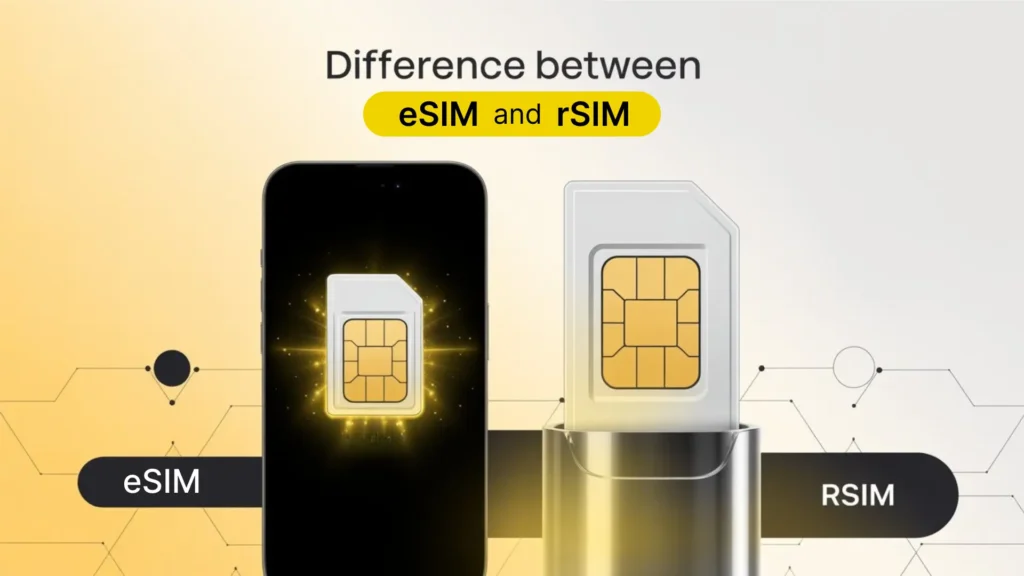
The technological innovations are making our worldwide connection more flexible and hassle-free. eSIM and rSIM are the two terminologies that are becoming popular worldwide as the best means to improve communication. eSIM or embedded SIM is the built-in chip in devices that allows a global connection. rSIM or remote SIM is like a physical SIM card that offers a solution for locked carrier phones. Both these work to make your connectivity easy and at an affordable cost. But these are different from each other. In this article, I will discuss the details about eSIM and rSIM, how these work, their features, and what is the difference between eSIM and rSIM. What is an eSIM? eSIM is a virtual SIM that is a digital version of a SIM card. It is the best travel companion that eliminates the need for a physical SIM card. It can’t be removed from the devices; therefore considered more secure to use. It works in the latest smart devices, smartphones, laptops, smartwatches, and tablets. How does an eSIM work?  Like a physical SIM card, it remotely connects your device to different networks. You can make calls and send texts with an eSIM. You can store multiple eSIM profiles in a single device and switch between them to improve your cellular data connection.  Key Features of eSIM The key features of electronic SIM include: What is rSIM? Remote SIM or rSIM is a small adapter that works to unlock your carrier-restricted device. It is a chip, like the SIM card, that offers two profiles to improve communication. It allows two numbers to users to make calls and texts.  How does rSIM work? The key function of rSIM is to bypass the network restrictions and help your device connect to different networks. It is mostly used to unlock iPhone devices. rSIM works between the SIM card and the mobile phone to enhance connection  Key Features of rSIM  The key features of rSIM include: Difference between eSIM and rSIM Both technologies improve our communication, but they are different from each other.  Features eSIM  rSIM  Function  A built-in SIM technology that offers remote data connection An adapter that bypasses the carrier restrictions and unlocks the devices Appearance Virtual SIM doesn’t have a physical appearance Looks like a physical SIM card Activation Remote eSIM activation Manual activation Device compatibility  Compatible with the latest smart devices Compatible with carrier-locked devices as iPhones Profile storage Store Multiple eSIM profiles Store two profiles Carrier switching Remote carrier switching Automatic switching What is best for you: eSIM or rSIM? Both SIMs have different functions. I have explained both technologies in detail for your understanding. You can make better decisions about what you need, an eSIM for convenient data connection or an rSIM to unlock your devices. If you are a frequent traveller and are looking for a convenient and flexible solution for cellular data connection, eSIM is the best option for you. Unlike the physical SIM, eSIM offers affordable and hassle-free data with multiple network options. rSIM is best to use if your iPhone device is carrier locked. It is a cost-effective solution to make your device compatible with multiple networks. Conclusion  rSIM and eSIM are different from each other. Both look different and have different functionalities. eSIM offers a hassle-free mobile experience for international travelers. rSIM helps you during travel when you need to make your device compatible with other carriers. Which is best between these depends on your needs. You should use eSIM for global connectivity and rSIM to erase your device’s carrier restriction. FAQs

Yaalo VS. aloSim
info

Yaalo VS. aloSim: Which eSIM Should You Trust?

Nothing tests your patience like landing in a new country and realizing you’re offline. No Google Maps. No food delivery app. No ride-hailing service. Just the spinning wheel of “No Signal.” It happens more often than you’d think. Many travelers choose the wrong eSIM provider without realizing what they’re signing up for. Patchy signals, unclear pricing, slow apps, or worse, a complete lack of support when things go wrong. If you’re torn between Yaalo and aloSIM, you’re not alone. Both are popular eSIM services, but only one really stands out when it comes to making your travels smoother, faster, and stress-free. Here’s a clear-eyed look at both options from a real traveler’s perspective. Yaalo vs aloSIM: Core Differences That Actually Matter Yaalo and aloSIM both have a wider global presence. But Yaalo also focuses on smarter regional performance, simplified user experiences, and real-time support that doesn’t leave travelers hanging. Feature Yaalo aloSIM Setup Time Under 2 mins ~5 mins App Simplicity Clean, intuitive Can feel cluttered Real-time Support 24/7 human chat Limited response time Speed Consistency Fast in Europe & Asia or Global Varies by region Multi-Country Packs Available Available Refund Policy Hassle-free Mixed reviews Verdict: Yaalo wins where it counts—ease, speed, and real support. Pricing Comparison: Who Saves You More in the Long Run? Let’s talk money. Whether you’re a weekend explorer or a remote-working nomad, every cent counts. Yaalo: Transparent pricing with no hidden fees. You pay exactly what the app says. Plans start as low as $2.28. aloSIM: Competitive rates, but can feel confusing with multiple plan tiers and fluctuating coverage in certain zones. Traveler’s Tip: If you’re someone who hates playing Sherlock with data plans, Yaalo makes life easier. One price, one plan, no stress. Coverage & Speed: How Do They Actually Perform? Here’s where most people get burned. Marketing can promise the moon, but if your eSIM lags when you’re trying to upload a boarding pass or find the nearest coffee shop, it’s useless. Yaalo: Prioritizes strong regional partnerships, especially across Europe, Asia, and the Americas. Upload/download speeds remain consistent even in peak times. aloSIM: Decent coverage but known to struggle in rural or less urban regions. In Real Life: Travelers report faster connectivity with Yaalo, especially when bouncing between countries. Trust & Transparency: Who Actually Has Your Back? eSIMs are a tech product, but travel is deeply human. You don’t want to be left waiting on a ticket when your flight leaves in 3 hours. Yaalo: Proactive support. Their 24/7 human team is known for fast fixes and real empathy. aloSIM: Automated replies are common, and sometimes users report delays in getting real help. If Trust Matters: Yaalo builds it by being there when it counts. Unique Features You Shouldn’t Overlook Yaalo aloSIM Final Thought: Yaalo is designed for travelers who like control and comfort. It’s not just tech; it’s peace of mind. Yaalo vs aloSIM: Which One Deserves Your Download? If you want simplicity, clarity, and the confidence to explore without tech stress, Yaalo is built for you. While aloSIM offers a respectable service, it doesn’t match the traveler-centric design and support that Yaalo brings to the table. No fluff. No AI magic. Just an honest service that actually works when you’re 5,000 miles from home. FAQs

What is an APN
info

What is an APN? How Can you Update it from Device settings?

Have you ever considered how our mobile phones connect to the network to provide data? It is possible via APN or Access Point Name. It is a key to unlock the door for connectivity. It is the information that connects your device to the network carrier. How does it contribute to data provisioning? In this article, I will go through the details of APN, how it works, how it keeps your device connected, and how to find APNs from your device. What is an Access Point Name (APN)? APN stands for Access Point Name; it is a gateway between your mobile carrier and the internet. It is a key component that connects the phone to the right internet connection. If I give you an everyday example, it is like an address and a key; the address helps you to reach the destination, and the key to get in. When you want to use the data, it guides your device to find the right internet pathway. There are two main functions of APN: it identifies the network settings for your device to connect to and contributes to finding the mobile operator. How does an Access Point Name work?  APN ensures that your device provides a stable internet connection and connects you with the online world. It specifies the security protocols and protects your data connection. It mainly focuses on determining the right network to access the data. An Access Point Name works with: APN provides your mobile phone with a secure connection without any hassle.  How is the Access Point Name structured? Access Point Name has a specific structure that contributes to mobile phone network identification and connects your device to the right network. An example of what an access point name looks like: Internet.mnc280.mcc234.gprs Here, MNC stands for Mobile Network Code, MCC refers to Country Code, and GPRS to Data Standards.  Public vs Private APN Offers: Key Difference! The key difference between public and private APNs is as given here. Featurers  Public APN  Private APN Network access  Public network  Private network Security Concerns  Less secure Encrypted, more secure Modification  Limited customization  Highly customized  Ideal for  Individual general browsing Businesses for managing data Why do I need to update APN settings? The following are some reasons why you should change your device’s APN settings. Where to update APN settings on your device? It’s a straightforward process to find APN from your device settings, whether you are using an Android or an iPhone. Follow the given steps below to find it on your device: For iPhone: As I mentioned above, carriers automatically update the APN settings. However, if you require manual setup, you can check the eSIM installation details provided by your carrier. Most of the time, the carrier provides the AP name with activation guidance. If it’s not available, connect your carrier and request APN details.  For Android: Conclusion Access Point Name is the critical part that identifies the appropriate network for your device and connects to provide a secure internet. Mostly, it gets updated when you activate the new SIM or eSIM in the device.  But sometimes, when your internet connection is not stable, you can update it manually to resolve the issue. In the article, I have mentioned the detailed steps to find the APN in your device. Furthermore, navigating the APN settings improves users’ mobile experience. FAQ

What is the ICCID number How can you find it
info

What is the ICCID number? How can you find it?

How do our devices connect to the cellular network and provide a stable internet connection? The ICCID number of the SIM card makes it possible. It is the unique code for each SIM that the operator uses to authenticate your service access. All of this makes it possible for your device to connect to the cellular network. How does this ICCID number work, and how can you find it? To know the details about SIM cards, you should get to know about ICCID.  In this article, I will go through the details of the ICCID number, how it works, why it’s essential, and how you can find it on your devices.  What is the ICCID number? ICCID, or integrated circuit card identifier, is a 19 to 20-digit unique serial number that identifies IoT SIMs and connects your device with the supported cellular network. The number is allotted to both physical SIM and eSIM cards. It finds the network to authenticate it and then connects to the right server. ICCID helps to manage the multiple devices’ connectivity at a time. It contributes to network identification and tracking. Why is the ICCID number important? ICCID number is the essential code for the smooth functioning of your SIM. It adds the security level and prevents unauthorized entities from accessing your network. MNOs with an ICCID ensure to link your device with the secure cellular network. Without an ICCID number, the SIM card can’t link to its supported network, which fails smooth connectivity.  Structure of ICCID Number ICCID number is usually printed on the SIM cards. It is a series of numbers printed in small font size. You might require a magnifying glass to read it.  Here is an example of an ICCID number and how it looks. ICCID Number = MII + CC + IIN + IAIN + C The given number is the combination of identifiers that play different roles. How to find the ICCID number? Finding an ICCID number is not difficult; you can even find it on your Android or iPhone devices. Moreover, there are some other methods through which you can find the number.  ICCID number from iPhone ICCID number from Android Find from SIM Card  You can find the ICCID number on the SIM card packaging. It is usually labeled in smaller sizes with a barcode. If you still keep your SIM card packaging, go and check your ICCID. Ask your carrier for ICCID If any of the given methods are not working, you can request your carrier to provide you with the ICCID number. Keep all the account information noted and provide these to the carrier for verification. Once it confirms that you are the owner, they will provide you with the ICCID.  Functions of ICCID Number  Integrated circuit card identifier plays a vital role in MNOs and the IoT industry. Some of its roles include. IMSI vs. ICCID ICCID and IMSI both play vital roles in IoT. International Mobile Subscriber Identity (IMSI) is like a cellular profile that identifies your subscriber account. For example, for a foreign trip, a passport and visa are required which contains all your details. Similarly, IMSI is the number that tells the network about your plan and other details.  ICCID is the number that confirms which SIM is connecting to the network.  Conclusion ICCID is an essential code that helps your SIM card to connect with the supported network. Whether you are using a traditional SIM card or a new leading eSIM technology, both contain ICCID to ensure smooth network connection. ICCID number improves the SIM card security and helps in tracking and troubleshooting SIM card issues. If you are looking for a SIM ICCID number, follow the given steps in the article to find the number. For further details, you can contact your carrier for further assistance. Frequently Asked Questions

Shopping Cart